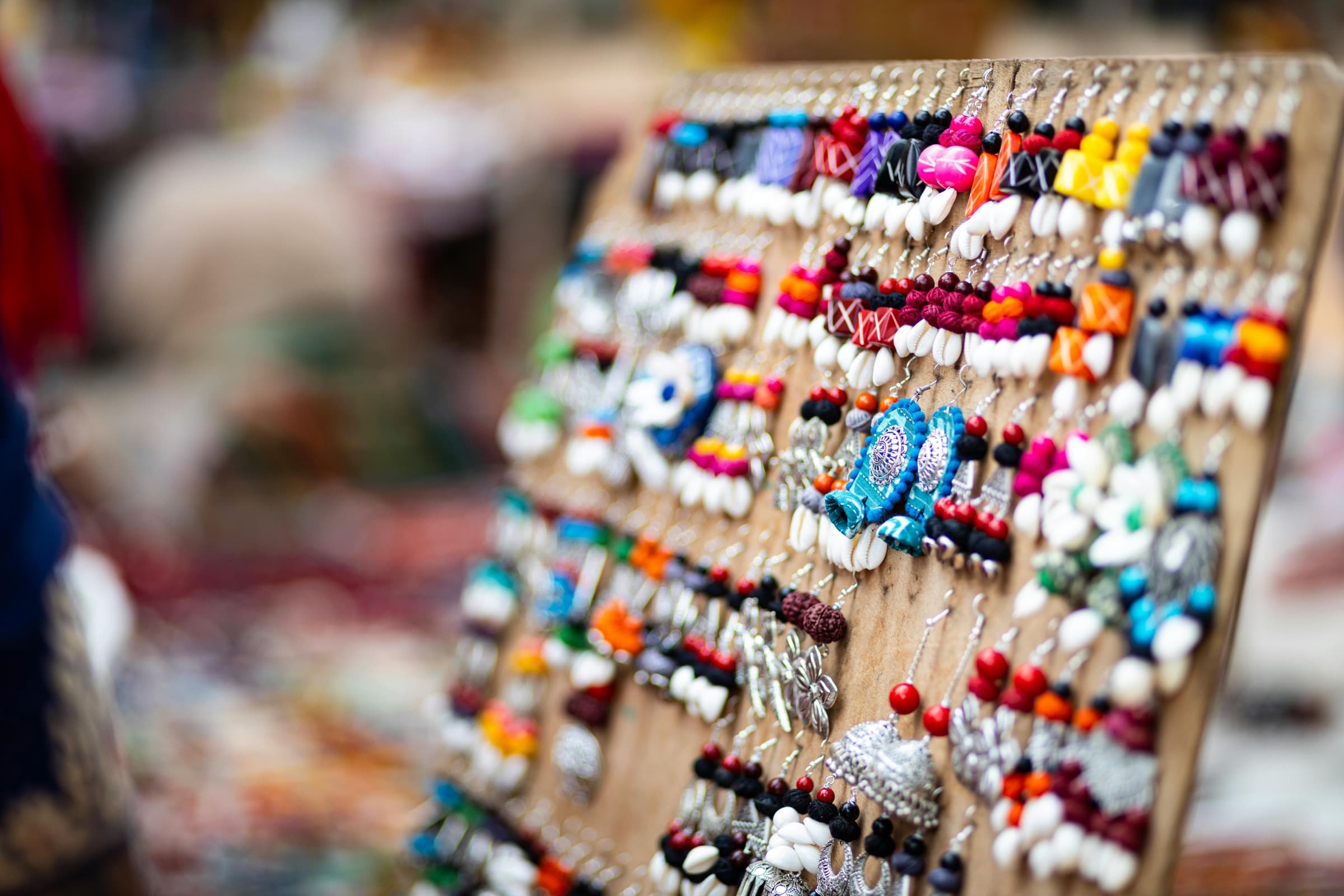
A jewelry vendor's booth at golden hour — earring cards, ring stands, and necklace busts arranged on a linen-covered table.

For makers · Jewelry

Two hundred tiny pieces. One calm setup.

Jewelry booths pack a lot into a small footprint. MyEventPrep helps you plan the display, track what’s selling, and get out the door without realizing the ring stands are still on the kitchen table.

A jewelry week in the life

Plan the display. Pack every earring card. Learn what styles sold.

Plan

Bring the right mix of styles, not all of them.

Studs vs. statement. Sterling vs. gold-fill. MyEventPrep looks at what sold at similar events and tells you how many of each line to pull from your catalog — so you’re not packing the same overflowing tote every show.
Pack

Ring stands, busts, mirror, polishing cloth — checked.

A weather-aware checklist that knows your booth: display props, lighting, signage, payment gear, and the small things you only remember at 6 a.m. (you forgot the polishing cloth twice last season).

Learn

Know which line carries the show.

Per-piece sales come back from Square. Next time you prep, you can see at a glance which earrings move, which collection sat untouched, and which signature piece everyone asked about.

Jewelry booths have their own logistics problem.

Hundreds of small SKUs. Display props that are half the sale. And a thousand chances to lose track of what came home with you and what didn’t.

01

Tiny SKUs, big variety

Twelve earring styles in three finishes is thirty-six things to count, label, and price. Spreadsheets give up. So do you.

02

The display is half the sale

Necklaces on busts, rings on velvet, earrings at eye level. The same inventory on a flat table sells half as much, and you know it.

03

The kitchen-table moment

You’re halfway to the show before you remember the ring stands. Or the mirror. Or the card reader.

04

“Do you still have that necklace from last show?”

A returning customer remembers a piece. You don’t. And there’s no record of what you brought, let alone what you sold.

“You’re a jeweler, not a logistics company.
Stop running the show like one.”

Every piece has a place. Including the ones you’re not bringing.

MyEventPrep keeps your full catalog in one place — every collection, every finish, every price — so each event’s pack list comes from your inventory, not your memory.

Connect Square once. Your catalog comes with you.

Including the SKU detail you’d never type into a spreadsheet twice.

You start with the event, drag the pieces you’re bringing into the pack list, and lay out the display case. Saturday’s forecast lands on the checklist before you load the car. After the show, Square hands you a per-piece sales report — the studs that flew, the statement necklace that didn’t. Next month’s event opens with that history sitting on top.

That’s how a jewelry booth gets easier. One show at a time.

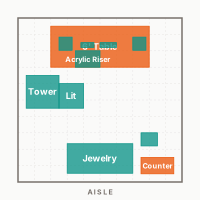
Plan the display before load-in

A booth layout that respects how jewelry sells.

Drag the necklace busts to the front. Put the earring cards at eye level. Save your setup once and reuse it next show — or branch a new layout when you take a corner spot instead of a wall.

Templates included for 10×10 booths arranged the way jewelry actually sells: high browse, lots of touch points, glass and velvet up front.

Jewelry booth 10x10 layout diagram with necklace busts at the front, earring displays at eye level, and a counter for transactions.

Built around what jewelry vendors actually track

The little details that decide whether a show was worth it.

Per-piece sell-through

See which rings, earrings, and pendants moved at each event — and which sat the whole weekend. Make the next pack list from data, not gut feel.

Display + prop checklist

Ring stands, necklace busts, earring tower, mirror, lighting, polishing cloth, gift bags. Edit it once and it carries forward to every event you create.

Custom-order requests

Per-event notes capture the “can you make this in gold?” conversations so they don’t live and die in a single Saturday.

Repeat customers

Jot a note when someone buys — the wedding ring, the matching set. When they come back to your booth six months later, your reflections do, too.

Common questions from jewelry makers

I have hundreds of SKUs in Square. Will it import all of them?
Yes. Connect Square once and your full catalog imports — categories, variations, prices, and the SKU detail you’d never re-type. From there you’re building pack lists per event, not maintaining two systems.
What if I don't use Square?
You can add products by hand too. Most jewelry vendors connect Square because of the catalog detail it brings, but it’s not required. The planning, checklist, booth layout, and reflection features all work either way.
Can I plan how my booth looks, not just what I'm bringing?
Yes. The booth layout planner is included — drag necklace busts, ring trays, signage, and lighting onto a canvas, save the setup, and reuse or branch it for the next show. A 10×10 jewelry-booth template is included as a starting point.
Do I get a checklist that's actually useful for jewelry, or a generic one?
You start with a vendor checklist that covers display props, signage, payment gear, and the small stuff (polishing cloth, mirror, gift bags). You edit it once, and from then on it carries forward to every event you create.
Will it work outdoors at a long weekend show?
Yes. MyEventPrep runs on phones and tablets, and your event details, checklist, neighbor notes, and post-event reflections all work offline. Saturday afternoon edits queue locally and sync when your phone gets back on cell — built for outdoor venues with spotty signal and cold fingers.

Pack the next show like
it packed itself.

Start with one event. Bring your catalog. See how it feels.

Hero photo by Sourav Das.