
Event planning for craft fair & market vendors
Run your next event like it's your fiftieth.
MyEventPrep remembers what worked, what sold, and what to bring. Every market starts smarter than the last.
Chapter 01
You know that moment when you're loading the car and trying to remember which neighbor was nice, where the load-in entrance was, and whether the Saturday crowd was worth coming back for.
Show up like you've done this before.
MyEventPrep keeps a running memory of every event you've done — the booth that worked, the neighbors worth saying hi to, the notes that only matter once you're back. Copy any past event for the next one, and it's all there waiting for you.
Notes from Last Time
Duplicate any past event and its lessons come with it.
Vendor Neighbor Notes
Track who you booth next to, their products, follow-up.
Saved Booth Layouts
Your booth diagram, ready to load again.
Chapter 02
The lavender candles sold out by 11. The bath bombs you stayed up making? You brought half of them home.
Pack the right amount.
Past sales feed straight into next event's plan, so you're producing from data, not gut. If your sales live in Square, we read them automatically — Square does sales, we do prep.
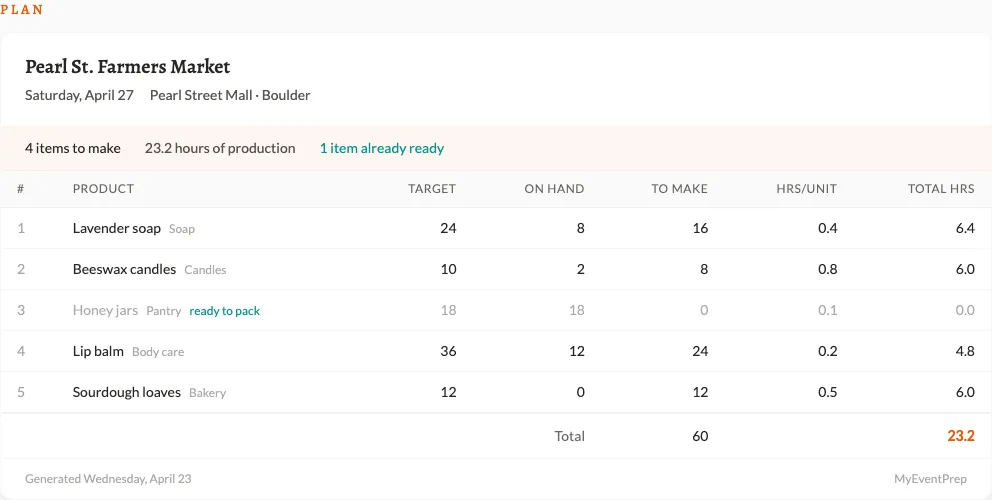

Production Planning
Calculates total hours from your product mix.
Sales-history Recommendations
Quantity suggestions per product per event type.
Square Catalog & Sales Sync
Your inventory and sales feed straight in.
Chapter 03
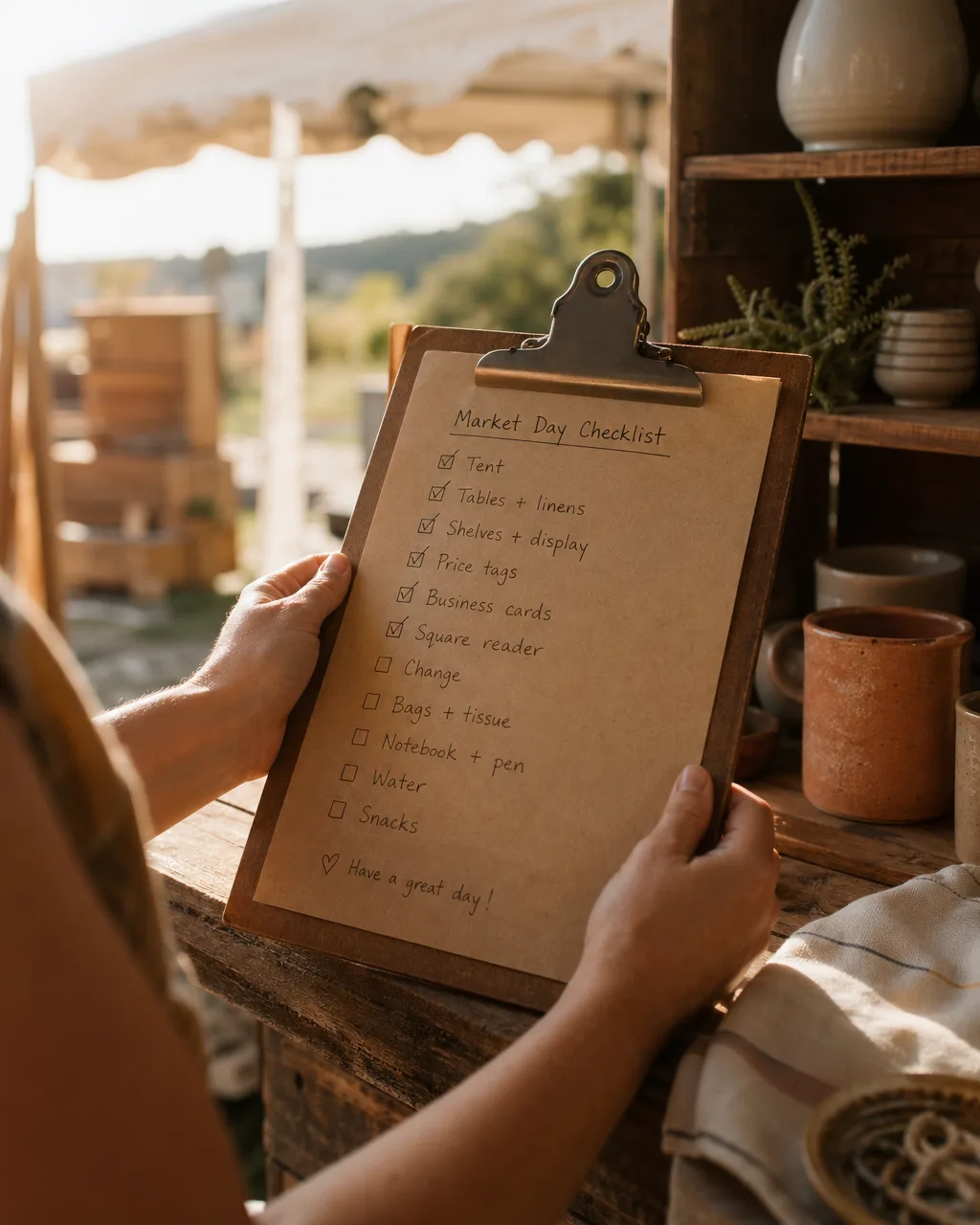
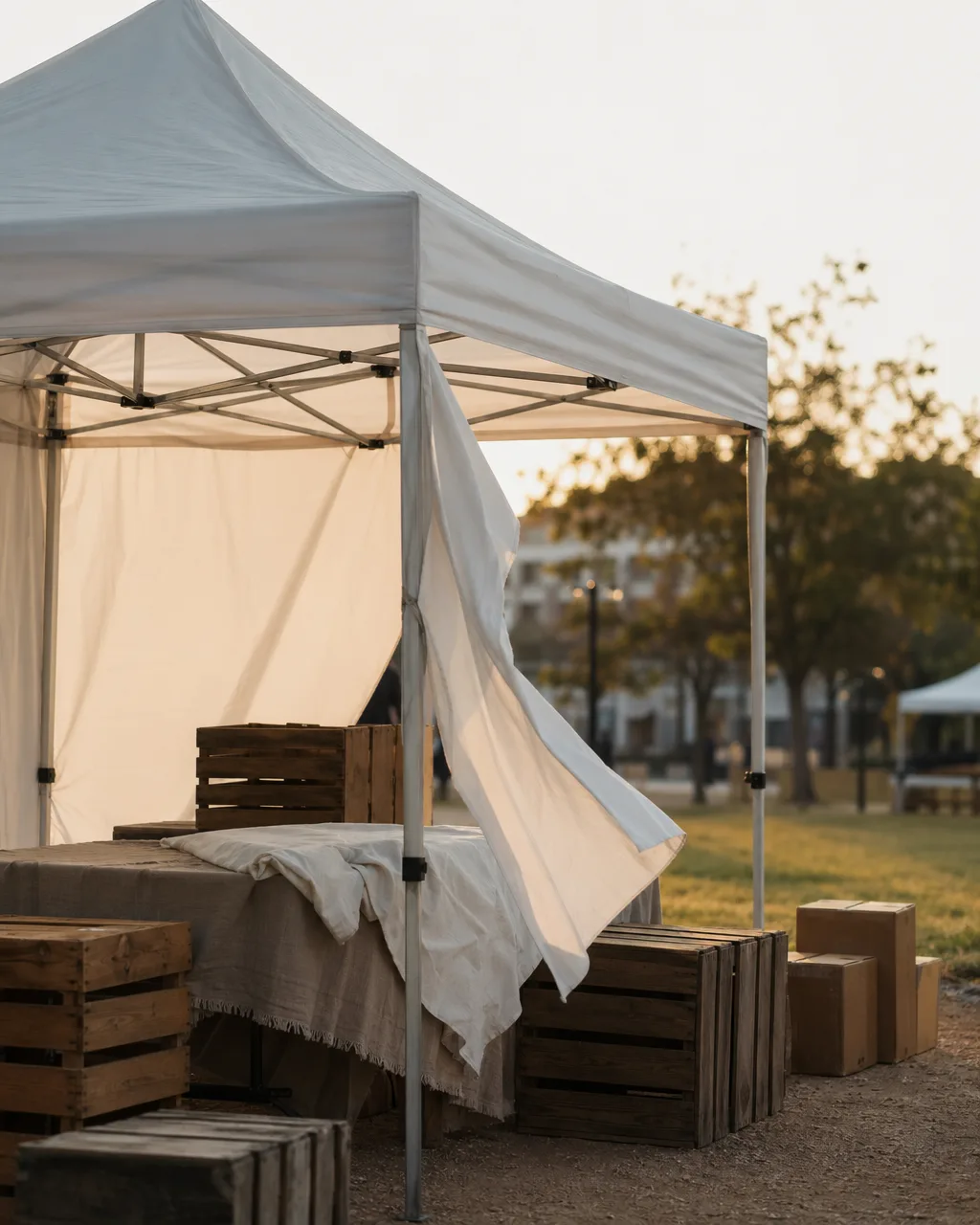
It's 7am, the wind's already picking up, and your checklist is somewhere in your Notes app from October.
Set up without the scramble.
A weather-aware checklist, your booth layout on your phone, and everything cached for the fairgrounds where there is no signal. The morning runs on muscle memory instead of panic.
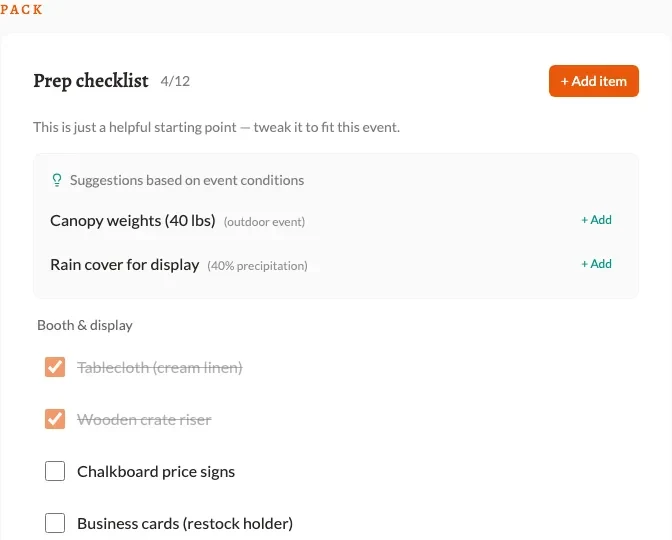
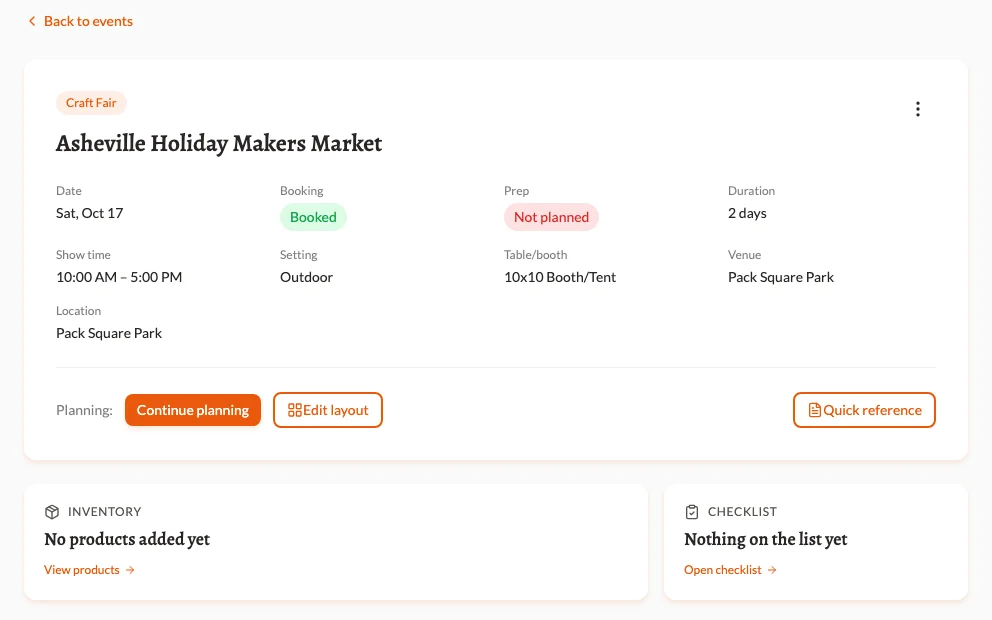
Weather-aware Event Details
Forecast pulled in pre-event, actual recorded after.
Custom Checklists
30 default items across categories, customize per event.
Booth Layout on your Phone
Pull up the diagram you designed in advance, right from the booth.
Works Offline
PWA caches event data so you are not chasing signal.
Chapter 04
Every market teaches you something. Most of it evaporates by the next one.
Get better at this every event.
A profit verdict graded against your own per-event target, plus reflections, event-type insights, and product performance. Three events in, you stop guessing which fairs to apply for next year — and the Yes/Maybe/No you log today is waiting for you a year from now when you go to apply again.
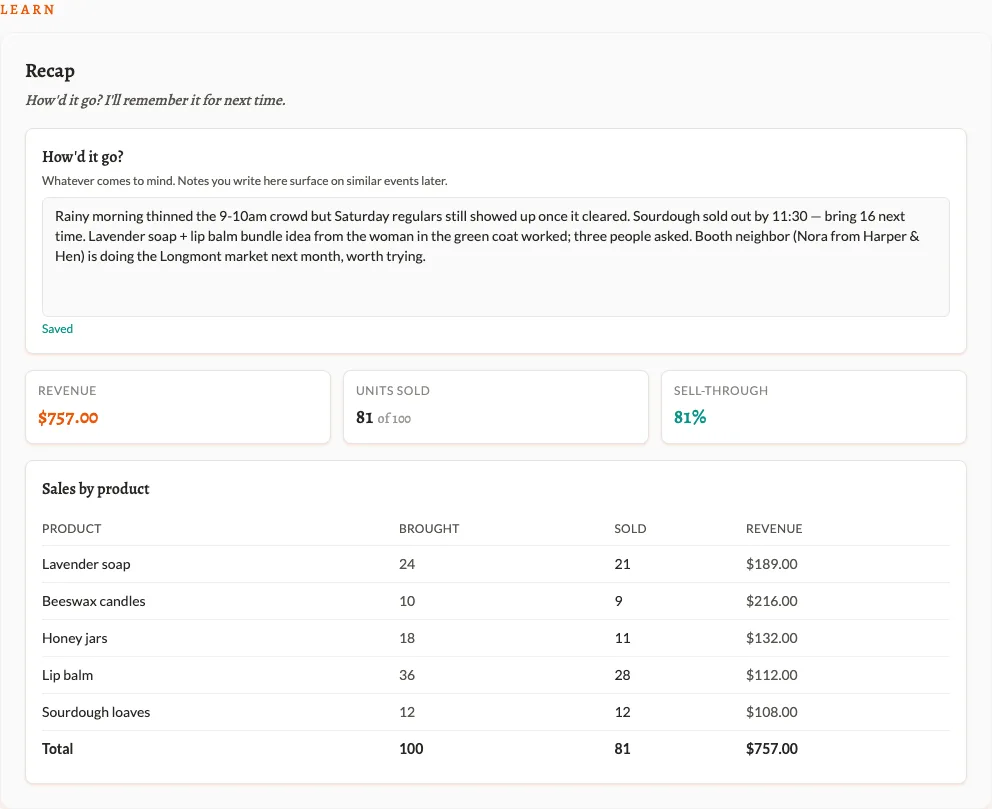
Was-it-worth-it Verdict
A profit number against your target — Strong, OK, Weak, or Loss.
Do this event again?
Yes / Maybe / No with a one-line note. Surfaces next year on duplicate.
Post-event Reflections
What worked, what did not, recorded while it is fresh.
Event-type Insights
Which event types pay off, which do not.
Product Performance
Earn-their-table-space metrics per product.
Event Photos
Visual memory of past booth setups.
No signup required
Try a piece of it — no signup.
The whole list
What's in the box.
Everything you get, grouped. Plain English, no jargon.
Your events
Plan once, reuse forever
Copy any past event and its products, checklist, and notes from last time come along.
Type and setting
Tag each event as a craft fair, farmers market, holiday market — indoor or outdoor.
Weather, before and after
Forecast pulled in pre-event, what actually happened recorded after.
Photos from the day
Save booth shots and crowd shots alongside the event.
Products and sales
Your full catalog
Every product you make, with category, size, and how long each one takes.
What sold, what didn’t
Per-event quantities, sell-through, and revenue.
Per-product performance
Earn-their-table-space metrics across every event.
Retired products stay safe
Pull old products out of rotation without losing their history.
Planning the next one
Prep sheet you can print or email
Target, on-hand, and to-make for every product. Print it for the workshop or send it to a partner.
Quantity recs from history
How many to make based on what sold last time at this kind of event.
Inventory-aware math
Subtract what you already have from what you need. Don’t over-produce.
Booth layout planner
134 preset items, ruler grid, side labels (Front · Aisle · Neighbor · Wall · Back), drag-resize-rotate. Save a layout once and reuse it.
Customizable checklists
Start from a default list, tweak per event.
Day-of
Pull up your saved layout
Open the booth diagram you planned, right from your phone.
Checklist anywhere
Tap items off from the booth.
Offline at the fairgrounds
Cached event data, works without signal.
After the event
Was-it-worth-it verdict
A profit number graded against your own per-event target. Strong, OK, weak, or a loss — no industry rate to compare to.
Do this event again?
A Yes / Maybe / No with a one-line note. Surfaces a year later when you start to duplicate the event.
Profit math, not just revenue
Revenue minus event expenses minus a COGS estimate from your product material costs.
Reflections while it’s fresh
Jot what worked, what didn’t, what you’d change.
Notes from last time
Carry forward when you copy a past event so last year’s lessons land in front of you.
Event-type insights
Which kinds of events pay off, which to skip.
Vendor neighbor notes
Snap a photo and a first name in 15 seconds at the booth. Tap chips for the rest later.
Your inbox
Event reminder, 3 days out
Lands at 9am in your local time with a link to your prep sheet.
Post-event nudge
The morning after, a quick prompt to log sales and reflections while it’s fresh.
Turn anything off
Per-type opt-outs in your profile. Nothing spammy.
Connects to
Square
Pull your catalog and your sales data straight in.
Free tools
Booth Fee Evaluator
See if a fair is worth applying to.
Show Profit Calculator
See if a show actually paid you back after fees, gas, and supplies.
Square Insights
Drop in a Square CSV, get per-event insights.
Your next event starts smarter.
Start with one event. Free, no credit card. Let MyEventPrep remember the rest.
Start free